Best IPTV Players for Android TV in 2026: The Definitive Comparison & Setup Guide
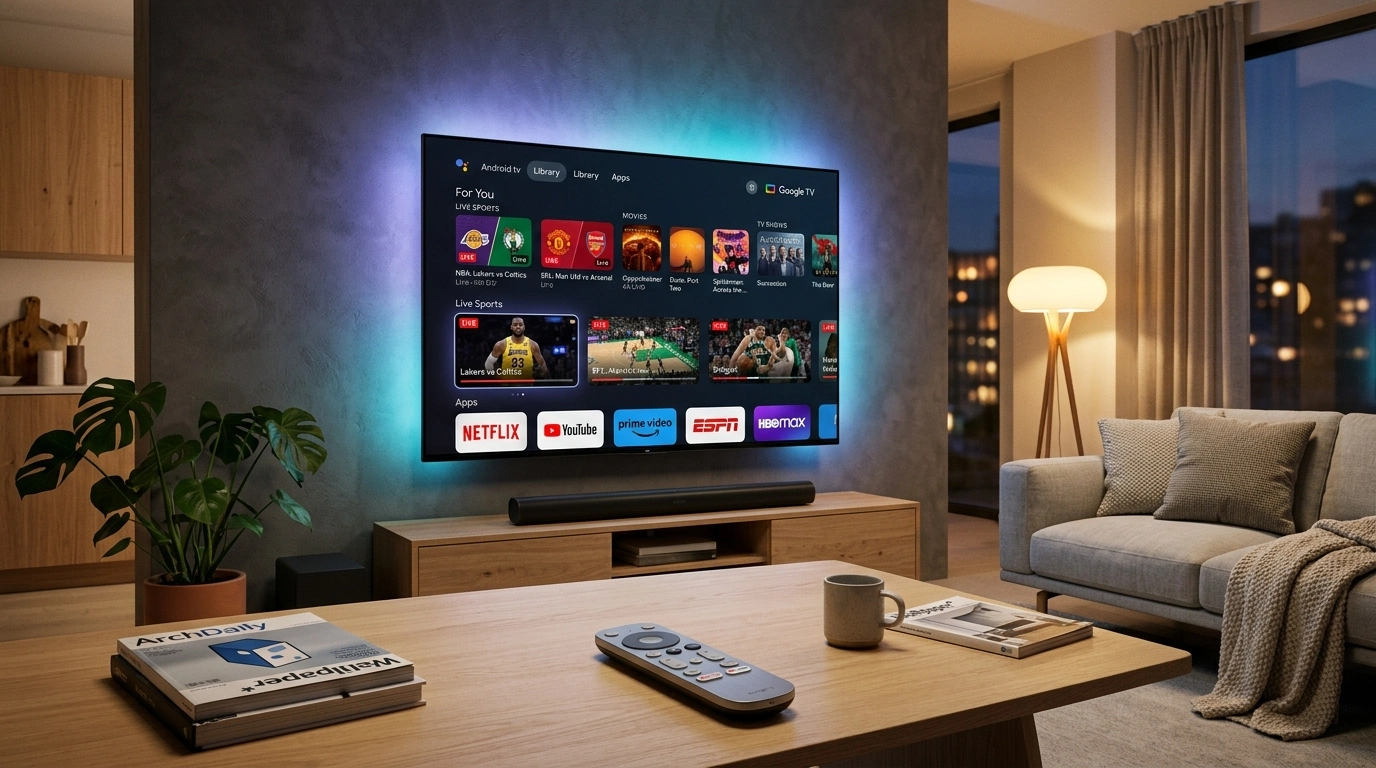
Android TV and Google TV have solidified their positions as the gold standard operating systems for modern home entertainment. Powering millions of smart television sets from premium manufacturers such as Sony, TCL, Hisense, and Philips, alongside dedicated streaming hardware like the Nvidia Shield TV Pro and Chromecast with Google TV, Android TV provides an open, highly capable ecosystem. Unlike locked-down television operating systems that severely restrict third-party software, Android TV grants users direct access to dedicated media decoding libraries, high-performance playback engines, and a rich catalog of specialized streaming applications.
However, when entering the world of internet protocol television (IPTV), many newcomers make a fundamental mistake: they assume that an IPTV provider and an IPTV player are the same entity. In reality, modern digital television streaming relies on a strict separation of concerns. Your IPTV service provider—such as SofaIPTV—delivers the secure digital stream links, authentication credentials, M3U playlists, on-demand catalog, and Electronic Programme Guide (EPG) data feeds. The IPTV player, by contrast, is the client software application installed on your television that ingests those credentials, parses the massive channel list, renders the electronic program guide grid, buffers incoming transport stream packets, and feeds the raw video bits into your device's hardware video decoder.
Choosing the right IPTV player can mean the difference between a frustrating, sluggish experience plagued by sync errors, crashes, and buffering, or an ultra-fluid, broadcast-quality television experience that rivals and often surpasses traditional cable or satellite set-top boxes. In this comprehensive master guide, we conduct an exhaustive, hands-on architectural comparison of the top IPTV players available for Android TV and Google TV in 2026, breaking down their user interfaces, playback engines, EPG processing capabilities, recording tools, and performance tuning configurations.
The Technical Anatomy of an Android TV IPTV Player
To appreciate why one IPTV application feels snappy and seamless while another stutters or drops frames, it helps to understand the underlying architecture of Android's media playback pipeline. An IPTV player is not merely a graphical skin; it acts as a complex orchestrator managing network sockets, stream demuxing, video decoding, and audio rendering.
+---------------------------------------------------------------------------------+
|                       Android TV Application Layer                              |
|   [TiviMate / IPTV Smarters / Sparkle TV / OTT Navigator / Kodi / Televizo]     |
|   - TV Guide Grid (EPG) Engine   - Channel Manager   - Recording / Timeshift    |
+---------------------------------------+-----------------------------------------+
                                        |
+---------------------------------------v-----------------------------------------+
|                         Media Playback Engine Layer                             |
|       Google ExoPlayer 2 / Media3     |      libVLC Engine     |     libmpv     |
|   - Adaptive HLS/M3U8 Streaming       - Broad Legacy Codecs    - Precision AFR  |
|   - MPEG-TS Demuxing & Buffer Cache   - Network Resiliency     - Custom Shaders |
+---------------------------------------+-----------------------------------------+
                                        |
+---------------------------------------v-----------------------------------------+
|                       Android NDK & MediaCodec API                              |
|           Hardware Video Decoder             |      Hardware Audio Passthrough  |
|    HEVC (H.265), AVC (H.264), AV1, VP9       |       Dolby Digital Plus, Atmos  |
+---------------------------------------------------------------------------------+
1. The Core Playback Engine: ExoPlayer vs. VLC vs. mpv
Every IPTV player is constructed around an underlying media engine responsible for receiving network packets, demuxing the audio and video elementary streams, and feeding them to the hardware decoders:
- Google ExoPlayer (Media3): Developed by Google specifically for Android, ExoPlayer is the industry-standard foundation used by TiviMate, Sparkle TV, and modern builds of OTT Navigator. ExoPlayer is exceptionally optimized for HTTP Live Streaming (HLS) and adaptive transport streams (MPEG-TS). It provides seamless integration with Android's low-latency audio stack and dynamic surface rendering.
- libVLC: The open-source powerhouse derived from the VideoLAN project. Used heavily by IPTV Smarters Pro and selectable as an alternate engine in several players, libVLC excels at playing non-standard containers, legacy codecs, and streams with damaged or missing headers that cause ExoPlayer to throw demuxing errors.
- libmpv: A minimalist, highly efficient fork of MPlayer. Renowned for its unparalleled color accuracy, advanced scaling shaders, and robust frame-accurate video clock timing.
2. Video Decoding: Hardware (HW) vs. Software (SW)
Android TV devices feature system-on-a-chip (SoC) processors from manufacturers like Amlogic, Realtek, MediaTek, and Nvidia. These SoCs contain dedicated silicon blocks designed specifically to decompress video algorithms at zero CPU cost:
- Hardware Decoding (MediaCodec): The player routes the compressed video stream directly into the dedicated silicon decoder. A 4K 60FPS HEVC stream is decompressed using less than 5% CPU utilization, generating minimal heat and ensuring perfectly smooth frame delivery.
- Software Decoding: If a player cannot negotiate with the device's hardware decoder, it must decompress each video frame using the general-purpose CPU cores. On budget Android TV streaming sticks and entry-level smart TVs, software decoding instantly maxes out the CPU, resulting in dropped frames, audio desynchronization, interface freezes, and thermal throttling.
3. Electronic Programme Guide (EPG) Memory Caching
Modern IPTV subscriptions often include thousands of live television channels across multiple countries, accompanied by hundreds of thousands of individual EPG program entries. A poorly engineered IPTV app will attempt to load this entire XMLTV database directly into system RAM upon every launch, causing Android's low-memory killer (LMK) to terminate the app. Premium IPTV players utilize lightweight SQLite databases and background indexing threads to parse large EPG XML feeds into persistent local storage, enabling instantaneous scrolling through hundreds of channels without micro-stutter.
Critical Features to Look for in an Android TV IPTV Player
Before selecting an application, evaluate your specific viewing habits and television hardware. A player designed for casual smartphone streaming is often unusable when operated with a directional D-pad remote control on a 65-inch television screen.
1. Native Leanback User Interface
Android TV applications must comply with Google's Leanback design guidelines. The user interface must be completely operable using a five-way directional navigation pad (Up, Down, Left, Right, Select), Back, and Menu buttons. Applications designed for touchscreens that require emulated mouse pointers or air-mouse remotes provide a terrible television viewing experience.
2. Comprehensive Playlist Protocol Support
Your IPTV player must natively support industry-standard ingestion formats:
- Xtream Codes API: The gold standard for modern IPTV. By entering a Server URL, Username, and Password, the application automatically pulls live television bouquets, video-on-demand (VOD) movie libraries, TV series with season/episode hierarchy, and server catch-up endpoints.
- M3U / M3U8 Playlists: Raw text playlists containing stream URLs and metadata tags (
#EXTINF). Crucial for custom channel lists and multi-provider setups. - XMLTV EPG URLs: Direct links to electronic program guide files (often compressed as
.xml.gz) to synchronize television schedule listings.
3. Auto Frame Rate (AFR) Matching
Broadcast television operates at regional frame rates: 50 FPS (50 Hz) throughout Europe, the UK, Australia, and parts of Asia; 59.94/60 FPS in North America; and 23.976/24 FPS for theatrical feature films. If your television display is fixed at 60 Hz while displaying a 50 Hz European football stream, your display must duplicate or drop frames to synchronize the refresh rates. This generates a noticeable visual judder during fast camera pans. A top-tier IPTV player features Auto Frame Rate (AFR) switching, instructing Android TV and your television to dynamically adjust the HDMI refresh rate to match the native broadcast frame rate of the channel.
4. Timeshift, Catch-Up, and Cloud / Local DVR Recording
If your schedule prevents you from watching a live sporting event or evening news broadcast, your player should support server-side catch-up (navigating back in the EPG grid to watch previously aired programs) and local DVR recording. Advanced players allow you to record live streams directly to an attached USB drive, a microSD card, or a local Network Attached Storage (NAS) share via Server Message Block (SMB).
5. Multiview / Multi-Screen Capabilities
For passionate sports fans, being locked into a single channel during a busy weekend of simultaneous matches is frustrating. Premium Android TV players utilize the multi-surface rendering capabilities of modern streaming hardware to display two, three, or four live television feeds concurrently on a split-screen grid.
Upgrade to SofaIPTV Premium 4K
Experience buffer-free entertainment with 50,000+ live channels and 200,000+ on-demand movies & series in pristine 4K.
- 4K & Full HD Quality
- Anti-Freeze v8.2 Tech
- All Devices Supported
- Instant 5-Min Activation
1. TiviMate IPTV Player — The Undisputed King of Android TV
If there is a gold standard by which all other television streaming applications are judged, it is unquestionably TiviMate IPTV Player, developed by Armobsoft FZE. Engineered exclusively from the ground up for Android TV and Google TV, TiviMate delivers an interface so polished, responsive, and intuitive that it effortlessly surpasses the user experience of premium tier-one cable and satellite decoders.
+---------------------------------------------------------------------------------+
|                               TiviMate IPTV Player                              |
|  [TV Guide Grid]   [Search]   [Recordings]   [Catch-Up]   [Settings]            |
+---------------------------------------------------------------------------------+
| Channel List        | 20:00 - 20:30             | 20:30 - 21:00                 |
| 101 Sky Sports Main | Premier League Live (4K)  | Post-Match Analysis           |
| 102 TNT Sports 1    | UEFA Champions League     | European Football Show        |
| 103 BBC One HD      | Prime Time News Bulletin  | Documentary Feature           |
| 104 Canal+ Sport HD | Ligue 1 Live Broadcast    | Match Highlights              |
+---------------------------------------------------------------------------------+
| Selected: Premier League Live (4K UHD) | 50.0 FPS | HEVC Main 10 | 18.4 Mbps    |
+---------------------------------------------------------------------------------+
Key Technical Features
- Modern TV Guide (EPG): TiviMate's electronic program guide is an absolute masterclass in visual engineering. Channel switching is instantaneous, scrolling through days of program data is silky smooth, and the overlay transparency allows you to browse upcoming programming while the current live channel continues playing uninterrupted in the background.
- Deep Multi-Playlist Management: Seamlessly integrate multiple IPTV accounts from different providers. You can organize channels into unified custom groups, reorder channel numbers, hide categories you never watch, and assign alternative EPG sources to specific channels with pinpoint accuracy.
- Advanced Multi-Screen Display: Watch up to 9 channels simultaneously on high-performance devices like the Nvidia Shield TV Pro, or 2 to 4 channels on standard Android TV streaming sticks. You can toggle audio focus between screens with a single click of your remote's D-pad.
- Scheduled Local & Network DVR: Schedule one-time or recurring recordings of upcoming television programs directly from the EPG. TiviMate supports recording to internal device storage, external USB drives, or networked folders via SMB/CIFS.
- Auto Frame Rate (AFR): Flawless native AFR implementation that switches HDMI output between 24 Hz, 50 Hz, 59.94 Hz, and 60 Hz instantly upon channel selection, completely eliminating sports pan judder.
- Full Backup and Restore: Export your entire configuration—including playlists, custom channel groupings, favorite channels, custom logos, and EPG offsets—into a single encrypted backup file that can be restored to any other Android TV device in your home in seconds.
Strengths and Limitations
- Pros:
- Unrivaled aesthetic design and navigation speed built strictly for TV remote controls.
- Exceptional video stability powered by an ultra-tuned Google ExoPlayer implementation.
- Robust catch-up navigation integrated directly into the TV guide grid.
- Picture-in-Picture (PiP) support allowing you to monitor a channel while browsing the Android TV home screen.
- Cons:
- The free version is strictly limited to basic playback; unlocking premium features (multi-screen, recording, search, custom groupings) requires a paid license (annual subscription or one-time lifetime purchase via the TiviMate Companion app).
- No native mobile touch interface (it is deliberately built only for television screens).
- Video-on-demand (VOD) support, while functional, is secondary to its live TV focus.
2. IPTV Smarters Pro — The Versatile Multi-Device Veteran
IPTV Smarters Pro (also known simply as Smarters Player) is one of the most widely recognized names in the IPTV ecosystem. Developed by WHMCS Smarters, its immense popularity stems from its multi-platform availability—providing a consistent, familiar layout across Android TV, Firestick, iOS, Apple TV, Windows PC, and macOS.
+---------------------------------------------------------------------------------+
|                                IPTV Smarters Pro                                |
|  [ LIVE TV ]         [ MOVIES ]         [ SERIES ]         [ MULTI-SCREEN ]     |
+---------------------------------------------------------------------------------+
| Master Account: SofaIPTV Subscription                                           |
| Status: Active  |  Expiry: August 2027  |  Connections: 2 Active                |
+---------------------------------------------------------------------------------+
| Features:                                                                       |
| - Integrated VOD Player with Subtitle Downloader (OpenSubtitles API)            |
| - Built-in Speed Test & Account Information Dashboard                           |
| - External Player Integration (VLC, MX Player)                                  |
| - Multi-User Profile Switcher for Family Households                             |
+---------------------------------------------------------------------------------+
Key Technical Features
- Balanced Content Dashboard: Unlike TiviMate, which prioritizes live television broadcasts, IPTV Smarters Pro divides its main home screen into distinct, balanced categories: Live TV, Movies, Series, Catch Up, and Multi-Screen.
- Integrated On-Demand Media Player: Smarters Pro shines when navigating expansive VOD catalogs. It pulls high-resolution movie posters, cast lists, trailers, plot synopses, and IMDb ratings directly through the Xtream Codes API. The built-in player includes on-the-fly subtitle downloading powered by OpenSubtitles integration.
- Multi-User Profile Management: Households with multiple viewers can create individual user profiles within the application, each maintaining their own custom favorites, watch histories, and parental control PIN restrictions.
- External Player Flexibility: If a particular rare video codec fails to play smoothly using the default internal engine, Smarters Pro allows you to designate external player applications—such as VLC for Android, MX Player, or Just Player—with a single toggle in settings.
Strengths and Limitations
- Pros:
- Highly accessible and intuitive for non-technical users and family members.
- Outstanding handling of TV series with automatic next-episode autoplay and resume playback.
- Native support for Xtream Codes API, M3U playlists, and single-file stream playback.
- Built-in connection speed tester and account status monitor.
- Cons:
- The user interface on television screens feels somewhat dated compared to modern minimalist designs.
- EPG navigation is split into a separate menu rather than an integrated, transparent broadcast overlay.
- Channel switching times are slightly slower than TiviMate due to heavier UI overhead.
- Occasional advertising banners present in unactivated third-party APK variants.
3. Sparkle TV — The Modern DVR & Time-Shifting Powerhouse
Sparkle TV, created by developer Swedish Snow, has rapidly emerged as one of the most formidable competitors to TiviMate. Designed specifically for Android TV and Google TV, Sparkle TV places heavy engineering focus on DVR recording, live pause/rewind time-shifting, and native integration into the Android TV system architecture.
+---------------------------------------------------------------------------------+
|                                  Sparkle TV                                     |
|  [Guide]     [DVR / Recordings]     [Timer Schedule]     [Settings]             |
+---------------------------------------------------------------------------------+
| Live Time-Shift Buffer: 120 Minutes (Continuous RAM/Storage Scratch Cache)      |
| Current Broadcast: World Championship Athletics Final                           |
| [<< Rewind 30s]  [|| Pause]  [>> Fast-Forward 30s]  [● Record Current Series]   |
+---------------------------------------------------------------------------------+
| Advanced Android TV Integration:                                                |
| - Populates Android TV Home Screen "Play Next" and Live Channels Rows           |
| - Automatic Timeshift Buffering upon Channel Tuning                             |
| - Network Storage (NAS) Recording via SMB 2.0 / 3.0                             |
+---------------------------------------------------------------------------------+
Key Technical Features
- True Live Time-Shifting: When you tune to any live television channel, Sparkle TV immediately begins writing a rolling cache buffer to device storage or an attached drive. This empowers you to pause live broadcasts, rewind to review a controversial referee decision, and fast-forward back to the live edge seamlessly.
- Android TV Home Screen Integration: Sparkle TV integrates deeply with Android TV's native Leanback channels API. It can display recently watched channels, favorite live streams, and recommended programming directly on the main Android TV home screen without opening the app.
- Sophisticated DVR Scheduler: Sparkle TV features a broadcast-grade DVR engine. You can schedule recordings by program title, record entire television series across daily airings, set pre-padding and post-padding minutes to prevent missing overtimes, and manage storage quotas automatically.
- Modern Material Design UI: Clean, elegant typography with smooth animations, high-contrast EPG grids, and support for high-resolution station icons.
Strengths and Limitations
- Pros:
- The absolute best live pause and rewind time-shifting performance on Android TV.
- Exceptional DVR management with reliable SMB network share support.
- Active, continuous development with frequent feature updates.
- Clean, ad-free interface with transparent pricing tiers.
- Cons:
- Time-shifting requires sufficient fast storage; budget devices with low free flash storage can struggle without an external USB drive.
- Advanced multi-screen capabilities are less flexible than TiviMate's multi-window grid.
- Initial playlist synchronization on massive channel lists (over 50,000 items) can take longer to index.
4. OTT Navigator IPTV — The Ultimate Power User Playground
For users who demand granular control over every aspect of their streaming environment, OTT Navigator IPTV, created by SIA Scillarium AHS, is an engineering marvel. It is arguably the most customizable IPTV player in existence, offering hundreds of technical configuration toggles, custom video filters, advanced buffer curves, and multi-provider data aggregation.
+---------------------------------------------------------------------------------+
|                              OTT Navigator IPTV                                 |
|  [Live TV]   [Media Library]   [Studio Mode]   [Archive]   [System Diagnostics] |
+---------------------------------------------------------------------------------+
| Diagnostic Telemetry Overlay:                                                   |
| - Codec: HEVC Main 10@L5.1@Main | Bitrate: 19.2 Mbps | Buffer Health: 9.8s      |
| - Video Clock Drift: +0.2 ms   | Dropped Frames: 0   | Display: 3840x2160@50Hz  |
+---------------------------------------------------------------------------------+
| Advanced Studio Mode:                                                           |
| - 1 Main Video Window + 8 Live Thumbnail Windows with Real-Time Audio Meters    |
| - Provider Aggregation: Merges identical channels across multiple subscriptions |
+---------------------------------------------------------------------------------+
Key Technical Features
- Provider Aggregation & Fallback: If you subscribe to more than one IPTV service for redundancy, OTT Navigator can automatically merge duplicate channels into a single EPG entry. If Provider A suffers a temporary stream outage, the application automatically fails over to the stream from Provider B without interrupting your viewing.
- Studio Mode (Multi-View Master): A broadcast-monitoring layout that allows you to display one large master video window alongside up to eight smaller real-time video feeds with live volume visualizers.
- Exhaustive Playback & Codec Tuning: Fine-tune video buffer duration (from 0.5 seconds for instant channel zapping up to 60 seconds for unstable networks), configure custom user-agent strings, adjust audio downmixing algorithms, apply post-processing color grading filters, and select between multiple internal rendering pipelines.
- Deep Catch-Up Integration: Supports virtually every known catch-up archive specification, including Flussonic, Xtream Codes, and Shift formats, allowing effortless timeline scrubbing.
Strengths and Limitations
- Pros:
- Unmatched depth of technical configuration, telemetry overlays, and stream diagnostics.
- Powerful automated failover across multiple IPTV playlist sources.
- Highly responsive performance even on low-spec hardware due to aggressive code optimization.
- Rich picture-in-picture and studio monitoring layouts.
- Cons:
- Steep learning curve; the sheer volume of menus and options can overwhelm non-technical users.
- The user interface layout can feel visually cluttered compared to the minimalist elegance of TiviMate.
- Some visual translations in non-English languages are unpolished.
Upgrade to SofaIPTV Premium 4K
Experience buffer-free entertainment with 50,000+ live channels and 200,000+ on-demand movies & series in pristine 4K.
- 4K & Full HD Quality
- Anti-Freeze v8.2 Tech
- All Devices Supported
- Instant 5-Min Activation
5. Kodi + PVR IPTV Simple Client — The Open-Source Media Center Solution
Kodi is the legendary open-source home theater software package that has served home media enthusiasts for over two decades. By pairing the core Kodi media center with the official PVR IPTV Simple Client add-on, you transform your Android TV into an all-in-one entertainment powerhouse.
+---------------------------------------------------------------------------------+
|                         Kodi Media Center v21 (Omega)                           |
|  [TV Guide]      [Movies]      [Music]      [Add-ons]      [System Settings]    |
+---------------------------------------------------------------------------------+
| PVR Engine: IPTV Simple Client v21.x                                            |
| Audio Engine: Kodi AudioTrack (IEC 61937 Bitstream Passthrough Active)         |
| Formats Decoded: Dolby TrueHD with Atmos | DTS-HD Master Audio | FLAC 5.1       |
+---------------------------------------------------------------------------------+
| Features:                                                                       |
| - Complete Audio Passthrough to AV Receivers / High-End Soundbars               |
| - Endless Aesthetic Customization via Skins (Aeon Nox, Titan, Estuary)         |
| - 100% Free and Open Source (FOSS) with No Paid Paywalls                        |
+---------------------------------------------------------------------------------+
Key Technical Features
- Audiophile-Grade Audio Passthrough: Most standard Android TV IPTV apps rely on basic Android system decoders, often downmixing lossless multichannel surround sound tracks into standard stereo or lossy Dolby Digital. Kodi bypasses Android's internal mixer using native IEC 61937 audio passthrough, sending uncompressed Dolby TrueHD, Dolby Atmos, and DTS-HD Master Audio bitstreams directly to your home theater AV receiver.
- Endless Theming and Custom Skins: Completely overhaul the look and feel of your television interface using community-developed skins like Aeon Nox, Arctic Horizon, and Titan Bingie.
- All-in-One Home Media Integration: Combine your live IPTV channels seamlessly with local media libraries stored on hard drives, media servers (Plex, Emby, Jellyfin), and internet streaming add-ons.
- Completely Free and Open Source: Zero advertisements, zero subscriptions, zero premium paywalls.
Strengths and Limitations
- Pros:
- Unrivaled audio fidelity with support for lossless audio passthrough formats.
- Highly adaptable platform with a vast ecosystem of third-party community add-ons.
- Cross-platform consistency across Android, Windows, Linux, and macOS.
- Cons:
- High resource overhead; sluggish on low-powered streaming sticks with limited RAM.
- Setup is complex, requiring manual configuration of M3U paths, EPG XML links, and caching parameters.
- Channel switching latency is noticeably higher than dedicated IPTV clients like TiviMate or Sparkle TV.
Head-to-Head Comparison: Android TV IPTV Players
To help you choose the ideal player for your specific television setup, review our technical comparison across all major functional categories:
+----------------------+------------+---------------+------------+---------------+------------+
| Feature / Metric     | TiviMate   | IPTV Smarters | Sparkle TV | OTT Navigator | Kodi PVR   |
+----------------------+------------+---------------+------------+---------------+------------+
| Primary Focus        | Live TV    | All-in-One    | Live + DVR | Power Users   | Media Hub  |
| UI Smoothness (D-Pad)| 10 / 10    | 7.5 / 10      | 9.5 / 10   | 8.5 / 10      | 7.0 / 10   |
| Channel Zapping Speed| Instant    | Moderate      | Very Fast  | Instant       | Slow       |
| EPG Grid Layout      | Best       | Basic         | Excellent  | Very Good     | Good       |
| Multi-Screen Support | Up to 9    | Up to 4       | Up to 4    | Studio (Up to 9)| Add-on only|
| Auto Frame Rate (AFR)| Native     | No            | Native     | Native        | Native     |
| Local/SMB Recording  | Yes        | External only | Yes (Best) | Yes           | Complex    |
| Live Time-Shifting   | No         | No            | Yes (Best) | Partial       | Add-on only|
| VOD Catalog UX       | Basic      | Excellent     | Good       | Very Good     | Excellent  |
| Audio Passthrough    | Bitstream  | Basic         | Bitstream  | Bitstream     | Lossless   |
| License Pricing      | Freemium   | Freemium/Paid | Freemium   | Freemium      | 100% Free  |
+----------------------+------------+---------------+------------+---------------+------------+
Step-by-Step Installation & Configuration Guide for Android TV
Follow this field-tested walkthrough to install, configure, and optimize an IPTV player on any modern Android TV or Google TV device.
Phase 1: Installing the IPTV Player
- Power on your Android TV or Google TV device (Sony TV, TCL TV, Nvidia Shield, Chromecast).
- Open the Google Play Store directly from the home screen.
- Select the search icon and search for your chosen player:
- For TiviMate, search for "TiviMate IPTV Player".
- For Sparkle TV, search for "Sparkle TV DVR & Player".
- For IPTV Smarters Pro, if available in your regional store, install directly; otherwise, install using the Downloader application by AFTVnews by sideloading the official APK from the developer's verified website.
- For OTT Navigator, search for "OTT Navigator IPTV".
- Select Install and wait for the application to download to your internal storage.
Phase 2: Ingesting Your SofaIPTV Credentials via Xtream Codes API
While manual M3U playlist URLs work, connecting via the Xtream Codes API delivers faster channel loading, automatic category organization, and synchronized EPG data.
+---------------------------------------------------------------------------------+
|                    Xtream Codes Connection Parameters                           |
+---------------------------------------------------------------------------------+
| Any Name / Server Name : SofaIPTV                                               |
| Server URL             : http://your-server-url:port (from activation email)    |
| Username               : your_assigned_username                                 |
| Password               : your_assigned_password                                 |
| Include VOD            : Checked (Imports Movies and Series catalogs)           |
+---------------------------------------------------------------------------------+
- Launch your newly installed IPTV player on your television.
- Select Add Playlist or Add New User.
- Choose the connection method: select Xtream Codes API (or Xtream Codes Login).
- Enter a descriptive server name: type
SofaIPTV. - Enter your exact Server URL, Username, and Password provided in your SofaIPTV subscription activation email. Take careful note of letter capitalization and ensure no trailing spaces are accidentally appended.
- Check the box to include Video on Demand (Movies and Series) if desired.
- Select Next or Connect. The player will connect to the servers, download the channel bouquets, parse category headers, and pull the latest EPG guide listings into local cache.
Optimizing Android TV for Peak Streaming Performance
Even the most advanced IPTV player will struggle if the underlying Android TV operating system is suffering from resource exhaustion, memory leaks, or network congestion. Implement these critical system tuning steps:
1. Hardwire with Cat6 Ethernet
While modern Wi-Fi 6 (802.11ax) delivers high theoretical speeds, local radio frequency interference from neighboring routers, baby monitors, microwave ovens, and household smart appliances introduces micro-burst packet loss. A single lost keyframe causes video decoding stutter. Connect your Android TV or Nvidia Shield directly to your router using a shielded Cat6 Ethernet cable. If using a Chromecast with Google TV, invest in an official Ethernet power adapter hub.
2. Enable Auto Frame Rate (AFR) Matching
Judder during fast sports action is virtually always caused by refresh rate mismatches. In TiviMate, navigate to Settings > Playback > Auto Frame Rate (AFR) and toggle the switch to ON. Select your preferred switching mode (Switch on start). When you tune to a 50 FPS channel, your TV screen will briefly blank for a second as the HDMI handshake renegotiates to 50 Hz, after which panning shots will render with buttery-smooth cadence.
3. Configure Hardware Video Decoding (MediaCodec)
Ensure your player is delegating video processing to dedicated silicon:
- In TiviMate: Navigate to Settings > Playback > Video Decoder and confirm it is set to Hardware.
- In IPTV Smarters Pro: Navigate to Settings > Player Selection and assign the built-in hardware player for Live TV and VOD.
- In OTT Navigator: Navigate to Settings > Playback > Codec and set to Hardware (MediaCodec).
4. Optimize Buffer Size Curve
Avoid setting your playback buffer to extreme values:
- Buffer Too Small (None / Small): Any minor 200 ms network hiccup results in an immediate freeze.
- Buffer Too Large (Max / 10 Seconds): Channel switching zapping speed becomes excruciatingly slow, and live sports broadcasts will lag significantly behind real-time action.
- Recommended Setting: Set the playback buffer to Medium (or approximately 2 to 3 seconds). This absorbs network jitter while preserving rapid channel switching.
5. Disable Energy Optimization for Your IPTV App
Android's aggressive battery and memory saving features can silently terminate background EPG synchronization and scheduled DVR recordings. Navigate to Android TV Settings > Apps > Special App Access > Energy Optimization, find your IPTV player, and set it to Don't Optimize (Allow background execution).
Troubleshooting Matrix: Common Android TV IPTV Issues
+-----------------------------------+-----------------------------------+-----------------------------------+
| Issue Encountered                 | Root Technical Cause              | Verified Remediation Step         |
+-----------------------------------+-----------------------------------+-----------------------------------+
| App crashes upon launching        | Corrupted EPG database in local   | Android Settings > Apps > Player >|
| or loading playlist               | SQLite storage cache              | Clear Cache (Do NOT Clear Data)   |
+-----------------------------------+-----------------------------------+-----------------------------------+
| Audio plays smoothly, but screen  | Hardware decoder unsupported or   | Switch Player Decoder setting     |
| is completely black               | incompatible stream video codec   | from Hardware to Hardware+ or SW  |
+-----------------------------------+-----------------------------------+-----------------------------------+
| Live sports camera pans look      | 50Hz broadcast playing on a fixed | Enable Auto Frame Rate (AFR) in   |
| juddery and micro-stuttering      | 60Hz display refresh setting      | player settings menu              |
+-----------------------------------+-----------------------------------+-----------------------------------+
| "Playback Error" or "403" / "500" | Temporary authentication issue    | Verify credentials; test Server   |
| error code on stream launch       | or exceeded max connections       | URL in browser; restart router    |
+-----------------------------------+-----------------------------------+-----------------------------------+
| TV Guide shows "No Information"   | Incomplete EPG synchronization or | Settings > EPG > Update EPG; check|
| across all channels               | incorrect EPG time zone offset    | system clock and time zone        |
+-----------------------------------+-----------------------------------+-----------------------------------+
| Scheduled DVR recording fails or  | Device entered deep sleep or      | Disable energy optimization; save |
| terminates after a few minutes    | internal storage ran out of space | recordings to external USB / NAS  |
+-----------------------------------+-----------------------------------+-----------------------------------+
Frequently Asked Questions
Conclusion: Transform Your Android TV Experience
Your Android TV hardware possesses tremendous multimedia processing power—capable of delivering uncompressed 4K visuals, immersive multichannel audio, and lightning-fast navigation. However, unlocking this potential requires pairing capable hardware with a premier IPTV playback client and an uncompromised stream infrastructure.
For dedicated television viewing with a traditional remote control, TiviMate remains the premier choice, followed closely by Sparkle TV for DVR enthusiasts, IPTV Smarters Pro for multi-platform family households, and OTT Navigator for diagnostic power users.
Pair your optimized player with a reliable, ultra-stable streaming service. Browse our extensive international channel lineup, check out our comprehensive step-by-step setup guides, or select your preferred SofaIPTV subscription plan today to experience live television the way it was meant to be seen.