IPTV EPG Explained in 2026: What It Is, How XMLTV Works & How to Fix Missing Guides
Imagine powering on your television, launching your favorite streaming application, and being confronted with a raw, unindexed list of thirty thousand live channel names: UK: Sky Sports 1, US: HBO HD, FR: Canal+, DE: Sky Sport Bundesliga. There are no program titles, no descriptions of upcoming movies, no broadcast start or end times, and no indication of which football match is kicking off in twenty minutes. Navigating such a service would require clicking into every channel one by one, hoping to stumble across something interesting.
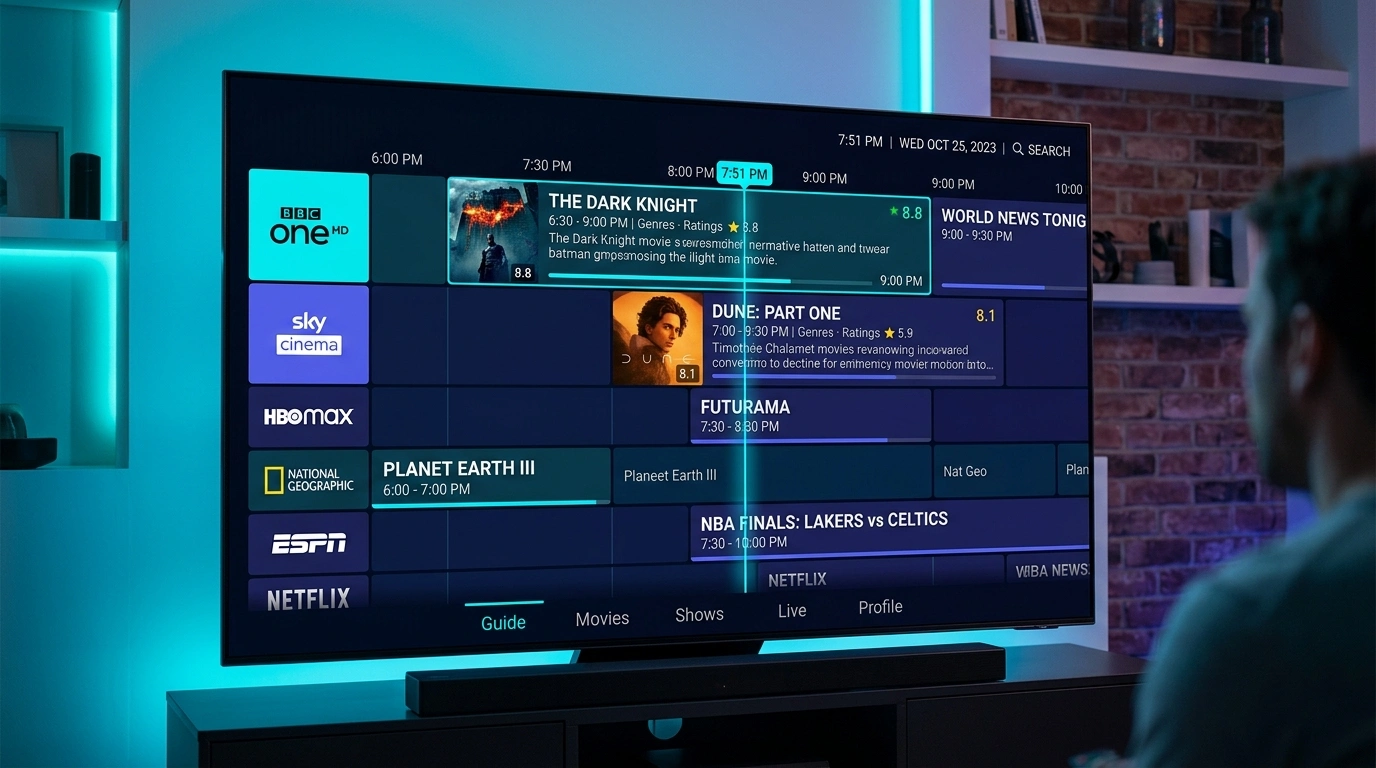
What transforms a chaotic directory of digital stream URLs into an intuitive, elegant, and familiar television experience is the Electronic Programme Guide (EPG).
The EPG is the beating heart of digital television. It is the visual grid that informs you that a live championship football match begins at 20:00, that a blockbuster movie is halfway through its runtime, and that an investigative documentary is scheduled for tomorrow evening. Furthermore, modern IPTV features—including scheduled DVR recordings, live pause/rewind time-shifting, catch-up archives, and search functionality—are fundamentally dependent upon accurate, synchronized EPG data.
Yet, despite its critical importance, the Electronic Programme Guide is often the most misunderstood and technically fragile component of the IPTV ecosystem. When an EPG breaks—showing blank rows of "No Information," displaying programs shifted three hours into the future, or failing to update across entire channel bouquets—viewers frequently assume their provider has suffered a total system outage.
In this definitive, master-level engineering guide, we demystify the inner workings of the IPTV Electronic Programme Guide in 2026. We break down the evolution of digital TV schedules, dissect the internal structure of the XMLTV standard, explain how client applications map channel IDs to local SQLite databases, explore time zone offset calibration, examine catch-up TV metadata mechanics, analyze station logo caching, and provide a field-tested technical roadmap to troubleshoot and resolve missing TV guides permanently.
The Evolution of the TV Guide: From Teletext to XMLTV
To appreciate the architectural sophistication of a modern IPTV EPG, it helps to understand how program scheduling metadata has evolved over the past four decades of television broadcast history.
+-----------------------------------------------------------------------------------+
|                        The Historical Evolution of the TV Guide                   |
+-----------------------------------------------------------------------------------+
| Era 1: Analog Teletext (1970s - 1990s)                                            |
| - Broadcast over Vertical Blanking Interval (VBI) scan lines                      |
| - Fixed 40x25 character grid; slow page cycling; zero interactive scheduling      |
+-----------------------------------------+-----------------------------------------+
                                          |
+-----------------------------------------v-----------------------------------------+
| Era 2: Digital DVB-SI & ATSC Metadata (2000s - Present)                           |
| - Multiplexed directly inside MPEG-TS transport packets alongside audio/video     |
| - Event Information Table (EIT) parsed directly by hardware TV tuners             |
+-----------------------------------------+-----------------------------------------+
                                          |
+-----------------------------------------v-----------------------------------------+
| Era 3: Internet Protocol Television & XMLTV (Modern Era)                          |
| - Decoupled data pipeline: Video streams over HTTP, Schedule downloads over XML   |
| - Universal XMLTV / JSON schemas; massive multi-day relational databases          |
+-----------------------------------------------------------------------------------+
1. Legacy Broadcast EPG (DVB-SI & ATSC)
In traditional terrestrial, satellite, and cable broadcasting (DVB-T/S/C in Europe and ATSC in North America), program metadata is transmitted directly inside the radio frequency transport stream. Using the DVB Service Information (DVB-SI) specification, broadcasters embed small data packets—known as the Event Information Table (EIT)—interleaved between audio and video frames. Your television tuner listens to these packets in real time, assembling the schedule for the channel currently tuned.
While reliable, broadcast EIT had severe operational limitations:
- Slow Population: You had to tune to a multiplexed frequency cluster and wait several minutes for the carousel tables to cycle and download.
- Limited Scope: Memory-constrained set-top boxes typically retained only 24 to 48 hours of future scheduling.
- No Centralization: If you did not tune to a satellite transponder, you received zero data for the channels contained on that frequency.
2. The IPTV Paradigm Shift: Decoupled Data Pipelines
Internet Protocol Television operates on a completely different architectural model. In an IPTV environment, audio and video streams are transmitted as discrete unicast or multicast streams over HTTP, HLS, or MPEG-TS. Because streams are pulled on demand rather than broadcast continuously across a shared coaxial cable, transmitting EIT tables within the video stream would require downloading gigabytes of data from thousands of channels simultaneously.
Instead, IPTV decouples video delivery from schedule delivery:
- Video Delivery: Streams are fetched in real time from content delivery network (CDN) edge servers.
- EPG Delivery: Program guide schedules are compiled into an external, highly structured text document—standardized internationally as XMLTV—and downloaded independently by the client application on a scheduled background cycle.
The Technical Anatomy of an XMLTV Document
The universal foundation of IPTV program guides is the XMLTV standard—an XML-based file format originally created by Jerry V. Chandler in 2002 that has become the global benchmark for structured television metadata.
An XMLTV file (frequently compressed as an .xml.gz archive to reduce bandwidth) consists of two distinct data sections: Channel Identifiers and Programme Elements.
+-----------------------------------------------------------------------------------+
|                         Anatomy of an XMLTV Data Feed                             |
+-----------------------------------------------------------------------------------+
| <?xml version="1.0" encoding="UTF-8"?>                                            |
| <!DOCTYPE tv SYSTEM "xmltv.dtd">                                                  |
| <tv generator-info-name="SofaIPTV EPG Engine">                                    |
|                                                                                   |
|   <!-- SECTION 1: CHANNEL DEFINITION -->                                          |
|   <channel id="SkySportsMainEvent.uk">                                            |
|     <display-name>Sky Sports Main Event UHD</display-name>                        |
|     <icon src="https://cdn.sofaiptv.site/logos/skysports_main.png" />             |
|   </channel>                                                                      |
|                                                                                   |
|   <!-- SECTION 2: PROGRAMME BROADCAST LISTINGS -->                                |
|   <programme start="20260927200000 +0000" stop="20260927220000 +0000"            |
|              channel="SkySportsMainEvent.uk">                                     |
|     <title lang="en">Premier League: Arsenal vs Manchester City</title>           |
|     <sub-title lang="en">Live Matchday Coverage from Emirates Stadium</sub-title> |
|     <desc lang="en">Comprehensive live coverage of the title showdown.</desc>     |
|     <category lang="en">Sports</category>                                         |
|     <category lang="en">Football</category>                                       |
|     <icon src="https://cdn.sofaiptv.site/posters/match_arsenal_mancity.jpg" />   |
|   </programme>                                                                    |
|                                                                                   |
| </tv>                                                                             |
+-----------------------------------------------------------------------------------+
1. The Channel Element
The <channel> block defines the existence of a television station:
- id Attribute: A unique string identifier (e.g.,
SkySportsMainEvent.uk). This ID acts as the relational primary key that binds the program schedule to your IPTV playlist. - display-name: The human-readable station title shown in menus.
- icon: A direct URL pointing to high-resolution channel station logos.
2. The Programme Element
The <programme> block defines a specific broadcast event:
- start and stop Attributes: The exact broadcast timestamps formatted according to the ISO 8601 standard:
YYYYMMDDHHMMSS +HHMM. For example,20260927200000 +0000indicates September 27, 2026, at precisely 20:00:00 UTC (Coordinated Universal Time). - channel Attribute: Must match the exact
iddefined in the channel section. - title and desc: The event name and detailed synopsis.
- category: Genre tags (Sports, Cinema, News, Children) utilized by IPTV players for color-coded EPG grids.
- sub-title and episode-num: Episode identifiers often encoded in XMLTV ns format (e.g.,
3 . 12 .representing Season 4, Episode 13).
Upgrade to SofaIPTV Premium 4K
Experience buffer-free entertainment with 50,000+ live channels and 200,000+ on-demand movies & series in pristine 4K.
- 4K & Full HD Quality
- Anti-Freeze v8.2 Tech
- All Devices Supported
- Instant 5-Min Activation
How IPTV Players Ingest, Parse, and Render EPG Data
When you launch an application like TiviMate, IPTV Smarters Pro, Sparkle TV, or IBO Player, the application executes a multi-stage background ingestion process to transform millions of lines of raw XML text into an interactive on-screen grid.
+-----------------------------------------------------------------------------------+
|                        The IPTV Client EPG Ingestion Pipeline                     |
+-----------------------------------------------------------------------------------+
|  [Step 1: Network Ingestion Layer]                                                |
|  App sends HTTP GET to EPG URL -> Downloads 15 MB - 50 MB compressed .xml.gz      |
|        |                                                                          |
|        v                                                                          |
|  [Step 2: In-Memory Decompression & Stream Parsing]                               |
|  App unzips archive into RAM -> Employs SAX/StAX streaming XML parser             |
|  (Bypasses full DOM tree allocation to prevent low-memory crashes on 1GB sticks)  |
|        |                                                                          |
|        v                                                                          |
|  [Step 3: Relational Database Storage (SQLite)]                                   |
|  Parsed events written into local tables: [Channel_ID, Start_Time, End_Time, Title|
|  Indexed by timestamp to enable instantaneous remote D-pad scrolling              |
|        |                                                                          |
|        v                                                                          |
|  [Step 4: Relational Channel Matching (The Binding Step)]                         |
|  App compares M3U "tvg-id" tag with XMLTV "channel id" -> BINDS DATA TO CHANNEL   |
|        |                                                                          |
|        v                                                                          |
|  [Step 5: Visual Leanback Rendering Surface]                                      |
|  TV Guide displays color-coded program blocks calibrated to household local time |
+-----------------------------------------------------------------------------------+
1. The Critical Binding Process: tvg-id Matching
The most common reason an IPTV guide displays "No Information" is a mismatch during the channel binding step.
In your SofaIPTV M3U playlist, every live stream entry contains metadata tags:
#EXTINF:-1 tvg-id="SkySportsMainEvent.uk" tvg-name="Sky Sports Main Event" tvg-logo="...", Sky Sports Main Event UHD
http://stream.sofaiptv.site:8080/live/user/pass/1042.ts
When the IPTV player processes the playlist, it notes the value of tvg-id (SkySportsMainEvent.uk). Next, it inspects its local SQLite database populated from the XMLTV file.
- If an exact match is found: The player binds the program schedule to that channel. You see the full TV guide.
- If a single character differs: For example, if the M3U tag reads
tvg-id="SkySportsMain.uk"while the XMLTV file listschannel id="SkySportsMainEvent.uk", the player fails to match the records. The channel remains blank with "No Information," even though both the stream and the EPG file are fully functional!
2. High-Speed SQLite Database Caching
A comprehensive international IPTV subscription from SofaIPTV covers thousands of channels across dozens of countries, encompassing over 500,000 individual program events over a 7-day schedule window. If an IPTV player attempted to keep this data in active volatile RAM, streaming devices with 1 GB or 2 GB of RAM (like the Amazon Firestick) would immediately crash.
Premier applications utilize lightweight SQLite embedded databases stored in device flash memory. When you scroll through your channel bouquets with your remote control, the player executes microsecond SQL range queries (SELECT * FROM epg WHERE channel_id = ? AND start_time >= ?), rendering upcoming shows with silky-smooth responsiveness.
EPG Architecture: Xtream Codes API vs. M3U Playlists
How your IPTV player ingests EPG data depends heavily upon whether you connect via a static M3U playlist link or the modern Xtream Codes API.
+-----------------------------------+-----------------------------------+-----------------------------------+
| Feature / Characteristic          | Xtream Codes API                  | M3U Playlist Link                 |
+-----------------------------------+-----------------------------------+-----------------------------------+
| EPG Synchronization Method        | Dynamic API Endpoint (/xmltv.php) | Static URL or Embedded Tag        |
| Channel ID Matching Precision     | 100% Automated by Server Database | Relies on exact text tag syntax   |
| Multi-Day Schedule Retention      | Automatic (Typically 3 to 7 Days) | Dependent on provider file size   |
| Network Bandwidth Consumption     | Highly Optimized Gzip Stream      | Frequently massive raw downloads  |
| Update Frequency                  | Incremental Background Sync       | Complete file re-download required|
| Catch-Up Metadata Integration     | Embedded in Channel Stream JSON   | Requires manual catchup tags      |
| Recommended Deployment            | THE INDUSTRY STANDARD             | LEGACY / BACKUP ONLY              |
+-----------------------------------+-----------------------------------+-----------------------------------+
When you connect via the Xtream Codes API, the server middleware dynamically correlates channel identifiers on the backend before delivering the payload. This virtually eliminates human syntax mismatches, ensuring your guide populates cleanly across all bouquets upon initial login.
Backend XMLTV Scraping & Curation Architecture
Behind every seamless electronic program guide lies a sophisticated backend data collection pipeline. High-tier IPTV services do not rely on a single broadcast source; they engineer automated scrapers, aggregators, and normalization pipelines that run around the clock to compile schedules across thousands of international broadcasters.
+-----------------------------------------------------------------------------------+
|                     EPG Backend Scraper & Normalization Architecture              |
+-----------------------------------------------------------------------------------+
|  [Broadcaster Web Schedules]   [Satellite DVB-S Transponders]  [Commercial Gracenote API]
|              |                                |                          |
|              v                                v                          v
|     [WebGrab+Plus Engine]          [DVB-SI Demuxer Daemon]      [Direct B2B XML Ingest]
|                                              |                         /
|               +-------------------------------+------------------------+
|                                               |
|                                               v
|                               [Normalization & Cleansing Engine]
|                               - Converts all timestamps to UTC (+0000)
|                               - Strips illegal XML entity characters (&, <, >, ")
|                               - Enforces standard ISO 639-1 language codes
|                               - Normalizes channel naming with Levenshtein distance
|                                               |
|                                               v
|                               [Master EPG Generator (XMLTV / JSON)]
|                                               |
|                                               v
|                               [Gzip Compression Engine (.xml.gz)]
|                                               |
|                                               v
|                               [Fastly / Cloudflare CDN Edge Cache]
|                                               |
|                                               v
|                              [Subscribed SofaIPTV Endpoints]
+-----------------------------------------------------------------------------------+
1. WebGrab+Plus (WG++) and Headless Ingestion
For channels lacking accessible direct satellite transport streams, engineering teams deploy WebGrab+Plus—an enterprise-grade multi-site scraper engine. WebGrab+Plus reads site-specific scraping configurations (.ini files) that parse official web schedule guides from public broadcaster websites across sixty countries.
- The scraper handles JavaScript-heavy single-page applications using headless Chromium instances.
- It extracts program titles, original air dates, director credits, cast lists, and parental ratings.
- It normalizes disparate time formats (such as 12-hour AM/PM listings with local daylight saving shifts) into uniform UTC timestamps.
2. Algorithmic Channel Matching & Levenshtein Normalization
A recurring technical challenge in IPTV guide generation is matching provider stream labels to official EPG channel records. A provider may title a channel:
[UK] SKY SPORTS PREMIER LEAGUE FHD (BACKUP)
While the official XMLTV database entry reads:
Sky Sports Premier League UK
To solve this, advanced ingest middleware executes fuzzy string matching using the Levenshtein Distance algorithm:
- Sanitization: Strip country prefixes (
[UK],US:), quality indicators (FHD,4K,HEVC), and routing tags (RAW,BACKUP). - Tokenization: Compare the core string (
sky sports premier league) against the dictionary of verified XMLTV channel identifiers. - Automated Binding: If the string similarity coefficient exceeds 0.88, the system maps the
tvg-idautomatically, preventing the dreaded "No Information" blank state for the end consumer.
Catch-Up TV & Timeshift EPG Metadata Engineering
One of the most powerful features unlocked by an accurate Electronic Programme Guide is Catch-Up TV (also referred to as reverse EPG or timeshifting). Catch-up allows you to scroll backward in your TV guide grid, select an event that finished four hours ago, and stream the complete broadcast on demand.
+-----------------------------------------------------------------------------------+
|                        Catch-Up TV EPG Request Pipeline                           |
+-----------------------------------------------------------------------------------+
|  [Viewer selects finished match in EPG] -> (e.g., Match aired 14:00 - 16:00 UTC)  |
|                                     |                                             |
|                                     v                                             |
|  [Player reads Catch-Up M3U Tag]: catchup="append" catchup-source="&utc={utc}&lutc={lutc}"
|                                     |                                             |
|                                     v                                             |
|  [Client generates HTTP Request to Server Archive Engine]:                        |
|  http://stream.sofaiptv.site:8080/timeshift/user/pass/720/2026-09-27:14-00/120.ts  |
|                                     |                                             |
|                                     v                                             |
|  [Flussonic / Xtream Archive Server extracts chunk from rolling DVR storage]      |
|                                     |                                             |
|                                     v                                             |
|  [Instant Video Playback Begins with Full Seek, Pause & Rewind Capabilities]      |
+-----------------------------------------------------------------------------------+
How Catch-Up Attributes Function in Playlist Syntax
In your SofaIPTV playlist, catch-up functionality is signaled by three essential attributes:
catchup="shift"orcatchup="append": Informs the player how to format the URL request when the viewer clicks a past program.catchup-days="7": Informs the player interface how many days into the past the rolling recording archive extends. The player displays clickable clock icons next to past shows within this window.catchup-source="...": The dynamic URL template containing macro variables like{utc}(UTC start timestamp),{lutc}(current viewer timestamp), and{duration}(program duration in seconds).
Without synchronized, accurate EPG start and stop timestamps, catch-up recording engines fail completely: they truncate the beginning of sports matches, cut off film conclusions, or report "Media Not Found" errors when the requested time chunk does not exist on the archive storage server.
Upgrade to SofaIPTV Premium 4K
Experience buffer-free entertainment with 50,000+ live channels and 200,000+ on-demand movies & series in pristine 4K.
- 4K & Full HD Quality
- Anti-Freeze v8.2 Tech
- All Devices Supported
- Instant 5-Min Activation
Station Logos, Poster Caching & UI Performance
A modern electronic program guide is as much a visual showcase as a text schedule. High-definition station channel logos and poster thumbnails transform an otherwise utilitarian spreadsheet into a premium leanback experience.
+-----------------------------------+-----------------------------------+-----------------------------------+
| Image Parameter                   | Standard Specification            | Performance Impact & Best Practice|
+-----------------------------------+-----------------------------------+-----------------------------------+
| Resolution                        | 512x512 px (1:1) or 16:9 Banner   | Overly large 4K images exhaust RAM|
| Format                            | Transparent PNG or WebP           | WebP delivers 60% file compression|
| Client Storage                    | Local SQLite / Disk LRU Cache     | Prevents repetitive CDN re-fetches|
| Memory Footprint                  | Decoded Bitmaps in Android RAM     | 500 un-cached bitmaps cause jitter|
+-----------------------------------+-----------------------------------+-----------------------------------+
Preventing UI Scrolling Lag on Budget Hardware
When you rapidly scroll through five hundred channels on a Fire TV Stick or Android TV box, the application must load and decode hundreds of channel logo images every second. If an IPTV player fetches these images synchronously over the internet on every scroll event, the interface will freeze, drop frames, and eventually trigger an Android ANR (Application Not Responding) crash.
To maintain a fluid 60 frames per second:
- Asynchronous Image Loading: Advanced players (like TiviMate and Sparkle TV) employ image loading engines (such as Glide or Coil) that fetch logos asynchronously in background worker threads.
- Two-Tier Disk Caching: Downloaded logos are cached in local flash memory using a Least-Recently-Used (LRU) eviction algorithm. On subsequent launches, logos are read directly from local flash storage in under two milliseconds.
- Downsampling: The player downsamples high-resolution 1080p channel logos down to the exact 80x80 pixel grid icon size before allocating memory buffers in RAM, preserving precious device memory.
7 Proven Technical Fixes for Missing EPG Guides
If your IPTV player displays empty rows of "No Information," incorrect program times, or fails to synchronize schedules, work through these field-tested technical remediations:
+---------------------------------------------------------------------------------+
|                         EPG Troubleshooting Action Plan                         |
+----+-----------------------------+----------------------------------------------+
| Step| Technical Remediation        | Underlying Problem Solved                    |
+----+-----------------------------+----------------------------------------------+
| 1  | Force Manual EPG Refresh    | Triggers immediate download of fresh XMLTV   |
| 2  | Clear Local EPG Cache       | Flushes corrupted SQLite database tables     |
| 3  | Calibrate Timezone Offset   | Aligns UTC timestamps with local TV clock    |
| 4  | Verify System Date & Time   | Fixes clock drift causing expired listings   |
| 5  | Manual Channel EPG Binding  | Bridges syntax differences in tvg-id tags    |
| 6  | Switch to Raw XML URL       | Bypasses broken gzip decompression engines   |
| 7  | Expand Local Storage Space  | Ensures device has RAM/Flash to write SQLite |
+----+-----------------------------+----------------------------------------------+
1. Force a Manual EPG Update
Most IPTV players are configured to update their program guide automatically every 24 hours. If your provider refreshed their channel lineup or server cluster in the interim, your player's schedule data may have expired.
- In TiviMate: Navigate to Settings > EPG > EPG Sources. Highlight your active provider source and select Update EPG. Allow the progress bar to reach 100% without exiting the menu.
- In IPTV Smarters Pro: On the main dashboard, click the Settings (gear icon) in the top right. Select EPG Management (or Time & Date), and click Update EPG.
- In IBO Player / Nanomid: Open the application settings and select Reload EPG or restart the application to trigger a fresh handshake.
2. Clear Local EPG Cache (Flush Corrupted SQLite Tables)
If an automated EPG download was interrupted by a network drop or device sleep cycle, the local SQLite database file can become corrupt, preventing the parser from writing new program entries.
- In TiviMate: Navigate to Settings > EPG. Select Clear EPG Data and confirm. This completely flushes the corrupted schedule cache without affecting your custom channel groupings or favorites. Once cleared, select Update EPG to build a clean database.
- In Android TV / Firestick System Settings: Navigate to Settings > Applications > Manage Installed Applications. Select your IPTV app, choose Force Stop, and click Clear Cache. (Never click Clear Data unless you want to reset your login credentials).
3. Calibrate Timezone Offsets (The "Shifted Show" Problem)
A frequent and frustrating EPG malfunction occurs when program listings appear on your television, but they are shifted by several hours—for example, an evening football match broadcast at 20:00 appears in the guide at 15:00, or a late-night talk show appears at breakfast.
XMLTV schedules are authored in Coordinated Universal Time (UTC/GMT). Your IPTV player must calculate the mathematical difference between UTC and your household's local time zone. If your television operating system or application misinterprets this offset, schedules display incorrectly.
+---------------------------------------------------------------------------------+
|                       EPG Timezone Offset Calibration                           |
+---------------------------------------------------------------------------------+
| Broadcast Time: 20:00 UTC                                                       |
| Your Location : New York (Eastern Standard Time, UTC -5 Hours)                  |
| Target Guide  : Program must appear at 15:00 EST                                |
+---------------------------------------------------------------------------------+
| If program appears at 20:00 in New York -> Offset is missing (-05:00 required)  |
| If program appears at 10:00 in New York -> Offset doubled (-05:00 applied twice)|
+---------------------------------------------------------------------------------+
How to Adjust Timezone Offset in TiviMate:
- Open TiviMate and navigate to Settings > EPG > EPG Sources.
- Select your active SofaIPTV source.
- Select Time offset, hours.
- Adjust the slider:
- If programs are appearing ahead of real time (in the future), adjust the offset negatively (e.g.,
-1 houror-2 hours). - If programs are appearing behind real time (in the past), adjust the offset positively (e.g.,
+1 houror+2 hours).
- If programs are appearing ahead of real time (in the future), adjust the offset negatively (e.g.,
- Return to the TV guide grid. Program blocks will shift immediately into perfect real-time alignment.
4. Verify Television Operating System Clock & NTP Sync
If your television's internal system clock has drifted by even ten minutes—often caused by a household power outage or a flat CMOS battery—the IPTV player will compare current system time against XMLTV timestamps and determine that all downloaded programs have already aired. The player purges the "expired" programs, leaving your guide rows completely blank.
- Open your television's system settings:
- On Firestick: Navigate to Settings > Preferences > Time Zone and confirm your local zone.
- On Android TV / Google TV: Open Settings > System > Date & Time and set to Automatic date & time (Use network-provided time).
- On Samsung Tizen / LG webOS: Navigate to General > Time & Date and verify the clock matches your smartphone time exactly.
5. Manual Channel EPG Assignment (Matching Orphaned Channels)
If your EPG is functioning normally across 95% of your channel bouquets, but a handful of specific sports, cinema, or regional channels display persistent "No Information" banners, the channel's tvg-id tag has become orphaned.
Advanced players like TiviMate allow you to manually link any channel to any program schedule in your XMLTV database:
+---------------------------------------------------------------------------------+
|                     Manual Channel EPG Assignment in TiviMate                   |
+---------------------------------------------------------------------------------+
| Step 1: In the TV guide, highlight the blank channel (e.g., Sky Sports F1 UHD)  |
| Step 2: Long-press the SELECT / OK button on your remote control                |
| Step 3: From the right-hand context menu, select "Assign EPG"                   |
| Step 4: Type "Sky Sports F1" into the search bar                                |
| Step 5: Select the matching XMLTV channel entity -> Click OK                    |
| Result: The channel instantly displays the full 7-day program schedule!         |
+---------------------------------------------------------------------------------+
6. Switch Between Compressed (.xml.gz) and Raw (.xml) URLs
Most IPTV providers deliver EPG feeds as compressed Gzip archives (ending in .xml.gz) to conserve server bandwidth. A raw XML file of 120 MB compresses down to roughly 12 MB in Gzip format.
However, certain budget smart TVs and older media players contain buggy zlib decompression libraries that choke on large multi-megabyte archives, silently aborting the decompression process.
- If your guide refuses to populate using a
.xml.gzlink, contact our support helpdesk or edit your EPG URL in settings to remove the.gzextension, pointing directly to the uncompressed.xmlendpoint. - While the uncompressed file takes slightly longer to download, it completely bypasses client-side decompression errors.
7. Free Up Internal Flash Memory on Your Streaming Stick
When an IPTV player downloads a 20 MB compressed EPG archive, it must decompress that file into a 150 MB raw XML text file and subsequently parse it into an internal SQLite database that can occupy 250 MB to 400 MB of disk space.
If your Amazon Firestick or smart TV has less than 500 MB of free storage remaining, the Android operating system will refuse to allocate write space for the SQLite database. The download succeeds, but the database write fails silently, leaving your guide empty.
- Navigate to your device's system settings: Settings > Applications > Manage Installed Applications.
- Check your remaining internal storage.
- Uninstall streaming applications, games, and screensavers you no longer use to maintain at least 1.5 GB of free flash storage space.
External EPG Providers & Multi-Source Aggregation
For discerning home theater purists who subscribe to multi-region channel bouquets or require extensive multi-day schedule archives, advanced applications like TiviMate, Sparkle TV, and OTT Navigator support Multi-Source EPG Aggregation.
+---------------------------------------------------------------------------------+
|                        Multi-Source EPG Aggregation                             |
+---------------------------------------------------------------------------------+
|  [TiviMate EPG Aggregator Engine]                                               |
|    |                                                                            |
|    +---> Source A: Primary SofaIPTV XMLTV Feed (Live UK/US/Sports Bouquets)     |
|    |                                                                            |
|    +---> Source B: Secondary Regional XMLTV Feed (Specialized Nordic/Arabic)    |
|    |                                                                            |
|    +---> Source C: Custom WebGrab+Plus / GitHub Open-Source Community Feed      |
|                                                                                 |
|  Result: Unified, 100% complete electronic program guide with zero blank rows.  |
+---------------------------------------------------------------------------------+
By adding a secondary EPG source URL in Settings > EPG > EPG Sources > Add Source, you can assign specialized schedule feeds to international channels that may lack coverage in your primary provider's guide, creating a seamless, broadcast-grade television interface.
Master 8-Point EPG Maintenance Checklist
Execute this sequential checklist to keep your electronic program guide operating with broadcast-grade reliability:
- Connection Protocol: Connect via the Xtream Codes API to ensure automated server-side channel ID matching.
- Clock Synchronization: Verify your television system clock is locked to Network Time Protocol (NTP).
- Storage Hygiene: Ensure your streaming device maintains at least 1.5 GB of free internal flash storage.
- Timezone Alignment: Calibrate your player's EPG time offset so live broadcasts align with real-world clocks.
- Periodic Cache Flush: Clear your player's EPG cache once every thirty days to purge fragmented records.
- Update Schedule: Configure your player to update EPG data automatically every 24 hours during idle hours.
- Manual Association: Utilize manual EPG assignment in TiviMate to bridge orphaned channels.
- Network Stability: Hardwire your television via Ethernet to prevent corrupt packet drops during downloads.
Comprehensive EPG Troubleshooting Matrix
+-----------------------------------+-----------------------------------+-----------------------------------+
| Observable Symptom                | Root Technical Cause              | Definitive Technical Solution     |
+-----------------------------------+-----------------------------------+-----------------------------------+
| Entire TV guide displays "No      | Expired EPG cache or failed       | Settings > EPG > Clear EPG Data > |
| Information" across all channels  | scheduled background download     | select "Update EPG" manually      |
+-----------------------------------+-----------------------------------+-----------------------------------+
| Programs display correct titles,  | Timezone offset mismatch between  | Settings > EPG > EPG Sources >    |
| but air times are shifted by hours| UTC timestamp and local TV clock  | adjust "Time offset" (+/- hours)  |
+-----------------------------------+-----------------------------------+-----------------------------------+
| Guide works on 95% of channels,   | Orphaned tvg-id tag or channel    | Long-press channel > Assign EPG > |
| but major sports channels blank   | renaming in provider bouquet      | search and manually link schedule |
+-----------------------------------+-----------------------------------+-----------------------------------+
| EPG download hangs at 10% or      | Device internal flash storage     | Uninstall unused applications to  |
| crashes application completely    | exhausted (< 500 MB free space)   | free up at least 1.5 GB storage   |
+-----------------------------------+-----------------------------------+-----------------------------------+
| Programs disappear immediately    | Television system clock drifted   | Settings > System > Date & Time > |
| after downloading                 | out of sync; TV treats shows past | enable Network Time Protocol (NTP)|
+-----------------------------------+-----------------------------------+-----------------------------------+
| Guide updates on phone, but fails | Smart TV zlib decompression bug   | Switch EPG URL from .xml.gz to    |
| on older Samsung / LG smart TV    | failing on compressed archive     | uncompressed raw .xml endpoint    |
+-----------------------------------+-----------------------------------+-----------------------------------+
| Catch-Up shows playback wrong     | EPG start/stop timestamps shifted | Adjust time offset in source or   |
| program from archive server       | relative to server archive clock  | verify provider server sync       |
+-----------------------------------+-----------------------------------+-----------------------------------+
| Channel logos appear blurry or    | App downsampling failed or URL    | Clear icon cache in settings;     |
| fail to load completely in guide  | points to slow third-party host   | reload playlist via Xtream API    |
+-----------------------------------+-----------------------------------+-----------------------------------+
Frequently Asked Questions
Conclusion: Transform Your Channel Surfing Experience
The Electronic Programme Guide is far more than a simple schedule grid; it is the visual architecture that elevates digital streaming from a frustrating chore into a luxurious, effortless home entertainment experience. By understanding the mechanics of XMLTV schemas, calibrating time zone offsets, ensuring proper channel ID binding, and maintaining local database storage, you ensure your television guide remains rich, accurate, and completely dependable.
Experience live television the way it was engineered to be seen. Explore SofaIPTV's complete global channel directory, review our comprehensive device installation tutorials, or select your preferred subscription package today to enjoy live sports, premium cinema, and international broadcasts backed by a synchronized, broadcast-grade Electronic Programme Guide.